Originally published on Medium in Indonesian. Translated to English.
Background
Simply put, a logger is a tool that records the activity produced by a program or system that has been wired up with it.
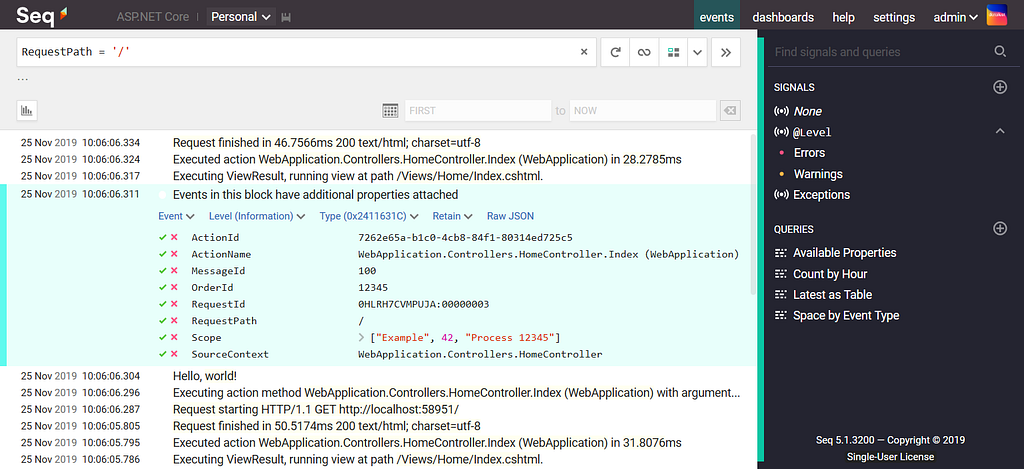
“Why do I need to install a logger?”
Let me take an example from my own experience. An application running in production suddenly crashed. Luckily, it already had a logger installed, so when the crash happened a notification went straight to the company’s Slack channel. That way the developers noticed and fixed it much faster. The same goes for development: when QA finds a bug, it is slow and annoying if we always have to ask for the payload that caused it, or ask QA to record their screen to show how to reproduce it (although in some cases we do need to know how the bug is reproduced from the user’s side).
More reasons:
- Application monitoring
- Application performance analysis
- Bug tracking
- Audit and security
- Documentation
Install Seq
In this article I’m using a Linux environment. According to the documentation, Seq isn’t offered for Linux directly, but they do provide a Docker image, so I’ll use Docker to install Seq locally.
PH=$(echo '<password>' | docker run --rm -i datalust/seq config hash)
- Replace
<password>with the password you want to hash. - This runs a Docker container from the
datalust/seqimage in interactive mode, to generate the hash of the password for theadminaccount in Seq. - Docker downloads
datalust/seqautomatically if the image isn’t available locally. - The hash is saved in the
PHvariable.
Next, run the Seq container with this command:
docker run \
  --name seq \
  -d \
  --restart unless-stopped \
  -e ACCEPT_EULA=Y \
  -e SEQ_API_CANONICALURI=https://seq.example.com \
  -e SEQ_FIRSTRUN_ADMINPASSWORDHASH="$PH" \
  -v /path/to/seq/data:/data \
  -p 80:80 \
  -p 5341:5341 \
  datalust/seq
After the command succeeds, check the container status with docker ps. If it failed, check the reason with docker logs.
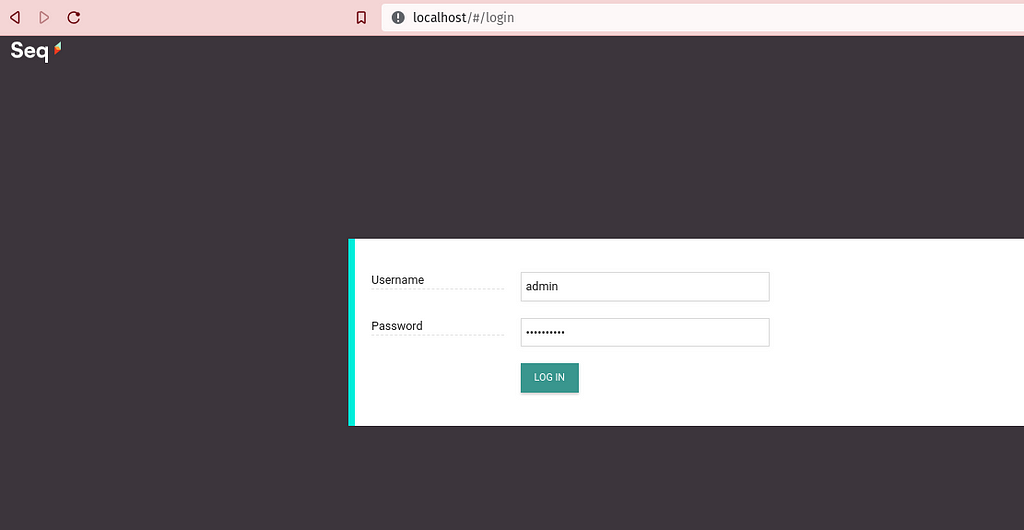
Open the Seq UI at http://localhost:80, then enter the username and password (the one before hashing) that you used when running the container.
Go Seq Logger
I’m using the Fiber framework with a flat project structure to keep things easy to follow. The full code is in this repository: husfuu/blogging, yahallo-seq-gofiber.
Dependencies
Implementation
Create a NewLogger function to initialize the logger. It adds the Seq hook to the logger instance, so every log message from that instance goes to the Seq service. I use the singleton pattern here to make sure the logger instance is only created and configured once.
var (
	logger     *logrus.Logger
	loggerInit sync.Once
)

func LogrusGetLevel(logLevel string) logrus.Level {
	switch strings.ToLower(logLevel) {
	case "fatal":
		return logrus.FatalLevel
	case "error":
		return logrus.ErrorLevel
	case "warn":
		return logrus.WarnLevel
	case "info":
		return logrus.InfoLevel
	case "debug":
		return logrus.DebugLevel
	case "trace":
		return logrus.TraceLevel
	}
	return logrus.InfoLevel
}

func NewLogger() *logrus.Logger {
	loggerInit.Do(func() {
		logger = logrus.New()
		logger.SetFormatter(&easy.Formatter{
			TimestampFormat: FullTimeFormat,
			LogFormat:       fmt.Sprintf("%s\n", `[%lvl%]: "%time%" %msg%`),
		})
		logger.SetLevel(LogrusGetLevel("debug"))
		logger.AddHook(logruseq.NewSeqHook("http://localhost:5341"))
	})

	return logger
}
Next, this HTTP handler sends an info-level log with the request path and the response data:
log := NewLogger()

app.Get("/", func(c *fiber.Ctx) error {
	data := "Yahallo, World!"
	fmt.Println(c.Request().URI())
	log.Infof("Info | %s |%s", c.Request().URI().String(), data)
	return c.SendString(data)
})
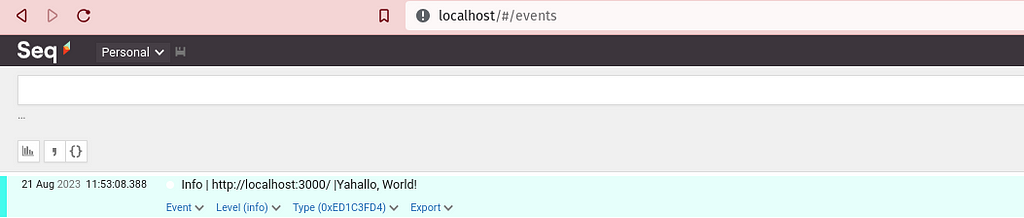
When the API is hit, the log message is sent to Seq.
Customizing the log message
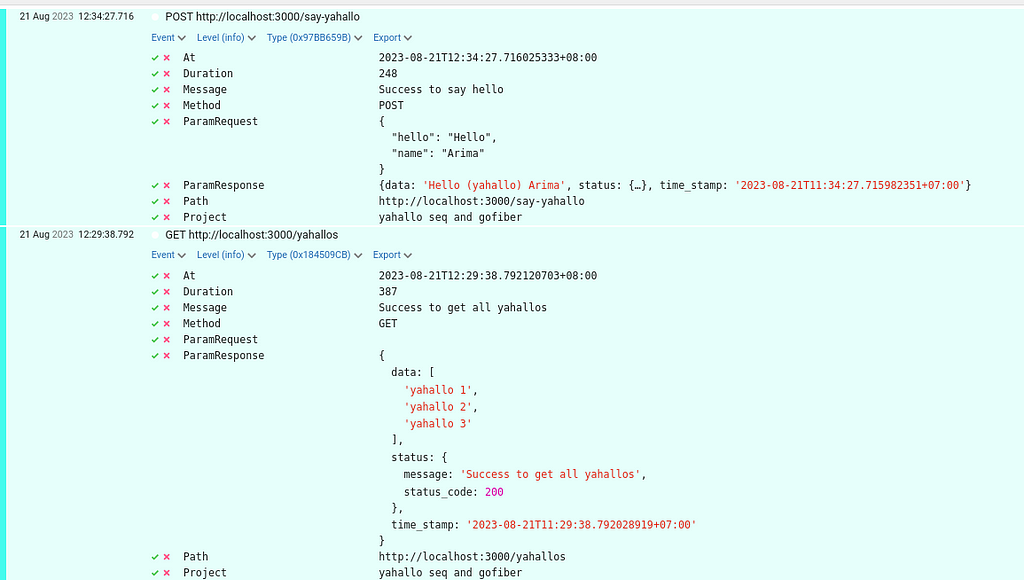
I want each log message to carry a few pieces of information: when the endpoint was hit, the endpoint URL, the request body sent by the client, the response the client received, how long the request took, a message, and the project name.
func CreateLog(c *fiber.Ctx, log *logrus.Logger, code int, message string, respData ResponseData) {
	reqBody := string(c.Request().Body())
	path := c.Request().URI().String()

	if code == fiber.StatusOK || code == fiber.StatusAccepted || code == fiber.StatusCreated {
		log.WithFields(logrus.Fields{
			"At":            time.Now(),
			"Method":        c.Method(),
			"Path":          path,
			"ParamRequest":  reqBody,
			"ParamResponse": respData,
			"Message":       message,
			"Duration":      time.Since(time.Now()),
			"Project":       projectName,
		}).Info(c.Method() + " " + path)
	} else if code == fiber.StatusBadRequest || code == fiber.StatusConflict || code == fiber.StatusUnauthorized || code == fiber.StatusNotFound {
		log.WithFields(logrus.Fields{
			"At":            time.Now(),
			"Method":        c.Method(),
			"Path":          path,
			"ParamRequest":  reqBody,
			"ParamResponse": respData,
			"Message":       message,
			"Duration":      time.Since(time.Now()),
			"Project":       projectName,
		}).Warn(c.Method() + " " + path)
	} else {
		log.WithFields(logrus.Fields{
			"At":            time.Now(),
			"Method":        c.Method(),
			"Path":          path,
			"ParamRequest":  reqBody,
			"ParamResponse": respData,
			"Message":       message,
			"Duration":      time.Since(time.Now()),
			"Project":       projectName,
		}).Error(c.Method() + " " + path)
	}
}
func Response_Log(ctx *fiber.Ctx, log *logrus.Logger, code int, message string, data interface{}) error {
	RespData := ResponseData{
		Data: data,
		Status: StatusResponseData{
			Code:    code,
			Message: message,
		},
		TimeStamp: GenerateTimeJakarta(),
	}

	CreateLog(ctx, log, code, message, RespData)
	return ctx.Status(code).JSON(RespData)
}
Using it in the HTTP handlers:
app.Get("/yahallos", func(c *fiber.Ctx) error {

	data := []string{
		"yahallo 1",
		"yahallo 2",
		"yahallo 3",
	}

	return Response_Log(c, log, fiber.StatusOK, "Success to get all yahallos", data)
})

app.Post("/say-yahallo", func(c *fiber.Ctx) error {
	var payload SayYahalloReq

	err := c.BodyParser(&payload)
	if err != nil {
		return Response_Log(c, log, fiber.StatusBadRequest, "fail to parse request body", nil)
	}

	data := fmt.Sprintf("%s (yahallo) %s", payload.Hello, payload.Name)

	return Response_Log(c, log, fiber.StatusOK, "Success to say hello", data)
})
This is what the customized log message looks like:
Closing
That’s it for “Installing Seq as a Logger in a Go Project”. If you want to discuss or give feedback, leave a comment. If you’re wondering where logs should be stored, my friend M. Zakiyuddin Munziri opened a discussion about it on Twitter: “Where should logs be stored, in files or in a database?”
I hope you enjoyed reading and found what you were looking for.
Written on 22 August 2023.